
M4T3 Team
May 30, 20265 min read
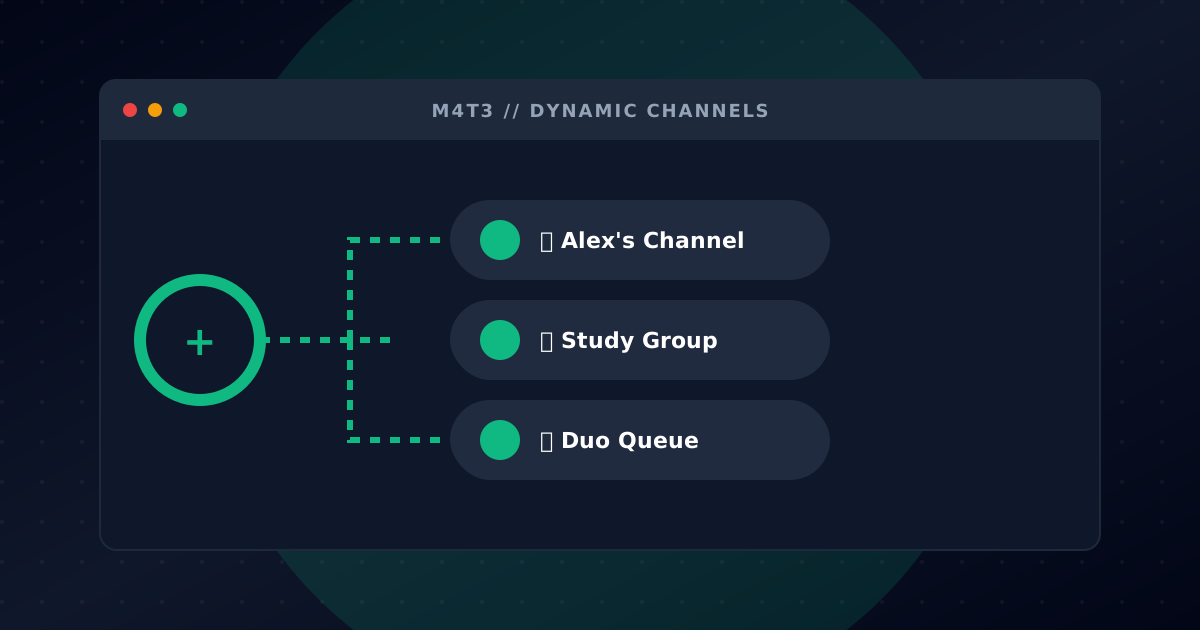
Tired of empty voice channels cluttering your server? With M4T3's Dynamic Channels, you designate one hub voice channel — and every time a member joins it, the bot automatically creates a new voice channel for them. When everyone leaves, the channel is deleted automatically. No mess, no manual cleanup.
Stats: 5M+ channels created · 20K+ servers · 50K+ active configurations
How It Works
- You set up a hub voice channel (e.g. "➕ Join to Create")
- A member joins the hub
- M4T3 instantly creates a new voice channel in your chosen category and moves the member in
- The channel is named after your format — e.g.
Private-mythic+-1,Private-mythic+-2, etc. - When the last member leaves, the channel is automatically deleted
Your server stays clean. Members always have a voice channel available without any admin involvement.
Requirements
- Manage Server permission to set up configurations
- M4T3 must have Manage Channels and Move Members permissions
- Your server needs at least one existing voice channel (the hub) and at least one category
Setup Method 1: Dashboard
The easiest way to configure dynamic channels is through the M4T3 Dashboard.
Step 1: Open the Dashboard
Go to m4t3.xyz, log in, and select your server.
Step 2: Go to Dynamic Channels
In the left sidebar navigate to Dynamic channels.
Step 3: Create a New Configuration
Click New channel to open the configuration panel on the right.
Step 4: Fill in the Settings
| Field | Description |
|---|---|
| Name | Internal label for this configuration (e.g. "Gaming Channels") |
| Channel to duplicate | The hub voice channel members join to trigger creation |
| Parent category | The category where new channels will be created |
| Channel name format | Naming pattern for created channels (e.g. Private-mythic+ → Private-mythic+-1, Private-mythic+-2) |
Step 5: Configure Auto-Delete Toggles
- Delete if empty — deletes the channel when all members leave (recommended: on)
- Delete if parent gets deleted — cleans up child channels when the hub is removed
- Delete if owner leaves — deletes the channel when the member who triggered it leaves
Step 6: Save
Click Save Changes. The configuration is live immediately.
Free plan: 1 dynamic channel configuration per server. Upgrade to premium for unlimited configurations.
Setup Method 2: Bot Command
You can also set up and manage dynamic channels directly from Discord using:
/setup dynamicchannels setup [action]
Requires Manage Server permission.
Actions:
| Action | Description |
|---|---|
| create | Start the interactive setup wizard |
| list | View all configurations for your server |
| edit | Modify an existing configuration |
| delete | Remove a configuration |
Using Create
The bot shows an interactive wizard:
- Enter a name and channel name format in a modal
- Select the hub voice channel from a dropdown
- Select the category for new channels
- Toggle the three auto-delete settings
- Review a preview and confirm
Using Edit
Select a configuration, then choose to:
- View — see all current settings
- Update name & format — change the label and naming pattern
- Update channels — change the hub channel and/or category
- Toggle auto-delete settings — adjust the three auto-delete behaviours
- Enable / Disable — pause a configuration without deleting it
Managing Configurations
You can have multiple configurations on the same server (premium) — for example one for gaming, one for study rooms, one for staff.
Each configuration is independent:
- Its own hub channel
- Its own category
- Its own naming format
- Its own auto-delete settings
- Can be enabled or disabled individually
Auto-Delete Explained
Delete if empty (default: on) The most common setting. When the last member leaves a dynamic channel, it gets deleted instantly. Keeps your channel list clean at all times.
Delete if parent gets deleted If you remove the hub voice channel or this configuration, any open child channels created by it are also cleaned up.
Delete if owner leaves The member who first joined the hub and triggered the channel creation is the "owner". When they leave, the channel is deleted — even if others are still inside.
Frequently Asked Questions
How many dynamic channel configurations can I have? One for free. Unlimited with a premium subscription.
Does M4T3 move the member into the new channel automatically? Yes. When the new channel is created, the member who joined the hub is moved into it instantly.
Can I have multiple hub channels pointing to the same category? Yes — create separate configurations, each with its own hub channel, all pointing to the same category.
What happens if M4T3 goes offline temporarily? Existing dynamic channels stay open. When M4T3 comes back online it re-registers all active configurations automatically.
Does the naming format change automatically?
Yes. Channels are numbered sequentially: Format-1, Format-2, etc. Numbers are assigned in order of creation.
Can I rename a channel after it's been created? You can rename the channel in Discord directly. It won't affect the configuration for future channels.
Ready to set it up? Use /setup dynamicchannels setup create or open the Dashboard at m4t3.xyz. For help join our Discord.