Zurück zu Plugins
Discord Benachrichtigungs-Bot - Twitch, YouTube & Social-Media-Alarme
Erhalte sofortige Benachrichtigungen wenn deine Lieblings-Creator live gehen, Videos hochladen oder neue Inhalte posten.
10M+
Gesendete Alerts
500K+
Verfolgte Creator
6
Unterstützte Plattformen
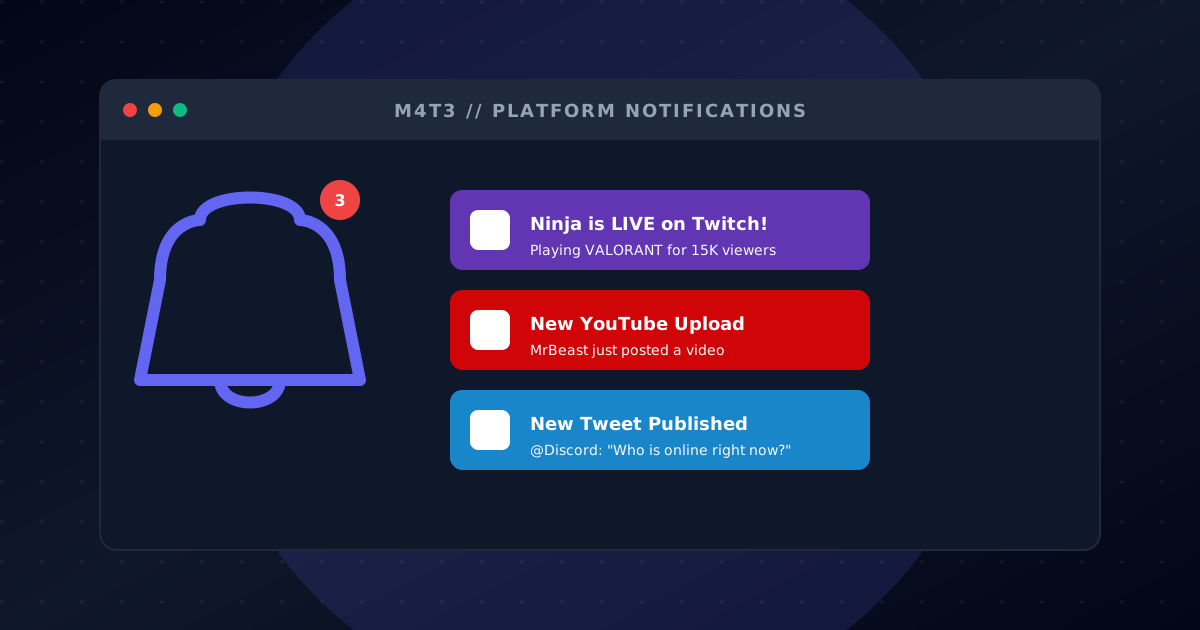
Twitch-Live-Alerts
Benachrichtige deine Community sofort wenn du oder deine Lieblings-Streamer auf Twitch live gehen.
Sofortige Live-Benachrichtigungen
Benutzerdefinierte Alert-Nachrichten
Stream-Titel und Spielinfo
Zuschauerzahlanzeige
Mehrere Streamer pro Server
YouTube-Alerts
Werde benachrichtigt wenn neue Videos auf YouTube-Kanälen hochgeladen werden.
Neue-Video-Benachrichtigungen
Kanal-Abonnement-Tracking
Videotitel und Thumbnail
Benutzerdefinierte Benachrichtigungsnachrichten
Mehrere Kanäle unterstützt
X (Twitter) Alerts
Bleib auf dem Laufenden mit Tweets von Accounts denen du folgst.
Echtzeit-Tweet-Benachrichtigungen
Filterung von Retweets und Antworten
Benutzerdefiniertes Nachrichtenformat
Mehrere Accounts verfolgen
Medienanhang-Support
Instagram-Alerts
Erhalte Benachrichtigungen für neue Instagram-Posts deiner Lieblingsaccounts.
Neue-Post-Benachrichtigungen
Bild- und Video-Support
Beschreibungsvorschau
Profil-Tracking
Mehrere Accounts pro Server
Reddit-Alerts
Überwache Subreddits auf neue Posts.
Subreddit-Überwachung
Neue-Post-Benachrichtigungen
Post-Titel und Vorschau
Upvote-Anzeige
Nach Flair oder Schlüsselwörtern filtern
RSS-Feed-Alerts
Abonniere jeden RSS-Feed und erhalte Benachrichtigungen in Discord.
Jeder RSS-Feed unterstützt
Blog- und News-Tracking
Benutzerdefinierte Formatierungsoptionen
Mehrere Feeds pro Kanal
Automatische Updates
In wenigen Minuten loslegen
Folge diesen einfachen Schritten, um dein Social Alerts-Abenteuer zu starten
Füge den M4T3 Benachrichtigungs-Bot hinzu
Klicke auf 'Zu Discord hinzufügen' und gewähre Berechtigungen zum Senden von Nachrichten in deinen Benachrichtigungskanälen.
Konfiguriere Alarme über das Dashboard
Verwende das M4T3-Dashboard, um Twitch-Streamer, YouTube-Kanäle, Twitter-Konten und mehr hinzuzufügen.
Passe Nachrichten An
Lege benutzerdefinierte Alarmnachrichten fest, wähle Benachrichtigungskanäle und konfiguriere, welche Inhalte verfolgt werden sollen.
Erhalte Echtzeit-Alarme
Erhalte sofortige Benachrichtigungen, wenn Creator live gehen, Videos posten oder neue Inhalte teilen!
Streamer Notification Hub
Get a dedicated channel that auto-posts when Twitch or YouTube creators go live, so fans never miss a stream.
Content Creator Clips
Share new TikToks and social posts directly into your server to keep the conversation centered.
Community Podcast Drops
Announce podcast episodes and blog posts the moment they publish, driving consistent return traffic.
Häufig gestellte Fragen
Alles, was du über Social Alerts wissen musst
Wie füge ich Twitch-Alarme zu Discord hinzu?
Füge M4T3 zu deinem Server hinzu, gehe zum Dashboard und konfiguriere Twitch-Alarme, indem du den Benutzernamen des Streamers eingibst. Du erhältst Benachrichtigungen, sobald sie live gehen!
Kann ich YouTube-Upload-Benachrichtigungen in Discord erhalten?
Ja! Konfiguriere YouTube-Alarme im M4T3-Dashboard, indem du die Kanal-URL hinzufügst. Du wirst sofort benachrichtigt, wenn neue Videos hochgeladen werden.
Unterstützt der Bot Twitter/X-Alarme?
Auf jeden Fall! Verfolge jedes Twitter/X-Konto und erhalte Echtzeit-Benachrichtigungen, wenn getwittert wird. Perfekt, um Ankündigungen und Updates zu verfolgen.
Ist der Benachrichtigungs-Bot kostenlos?
Ja! Die Social Alerts von M4T3 sind kostenlos. Verfolge mehrere Streamer und Kanäle auf Twitch, YouTube, Twitter, Instagram, Reddit und RSS-Feeds.
Kann ich die Benachrichtigungsnachrichten anpassen?
Ja! Im Dashboard kannst du Alarmnachrichten für jede Plattform mit benutzerdefiniertem Text, Erwähnungen und Formatierung anpassen.
Wie viele Creator kann ich verfolgen?
Du kannst mehrere Creator auf allen unterstützten Plattformen verfolgen. Premium-Nutzer erhalten erhöhte Limits für größere Communities.

Bereit loszulegen?
Füge M4T3 heute zu deinem Discord-Server hinzu und schalte all diese großartigen Funktionen frei!